Directory
The “Directory” feature enables affiliates to access comprehensive information about small businesses participating in their program. In the directory view, affiliates can view business profile data from companies, including:
- Business name and description
- Company owner
- Contact information (such as phone numbers and email addresses)
- Date joined
Navigation
Affiliates can navigate to the Directory view by clicking the “Directory” navigation menu item in the navigation bar at the top right of their M3 panel.

Once clicked, the Affiliate will be navigated to the Directory view.
Directory Filter
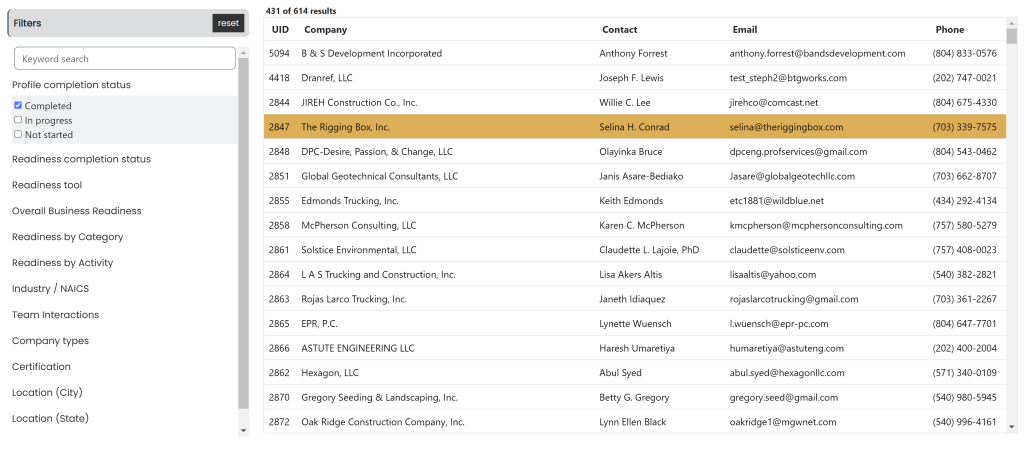
The directory tool empowers affiliates to efficiently search and filter according to various aspects of a business. By clicking the arrows to the left of a category, a dropdown of checkboxes will appear with filtering options for the Affiliate to select. Affiliates can customize their search by filtering on:
- Readiness completion status
- Readiness tool
- Overall business readiness
- Management category
- Management activity
- Interaction
- Company type
- Etc.

Spreadsheets and Extended Reports
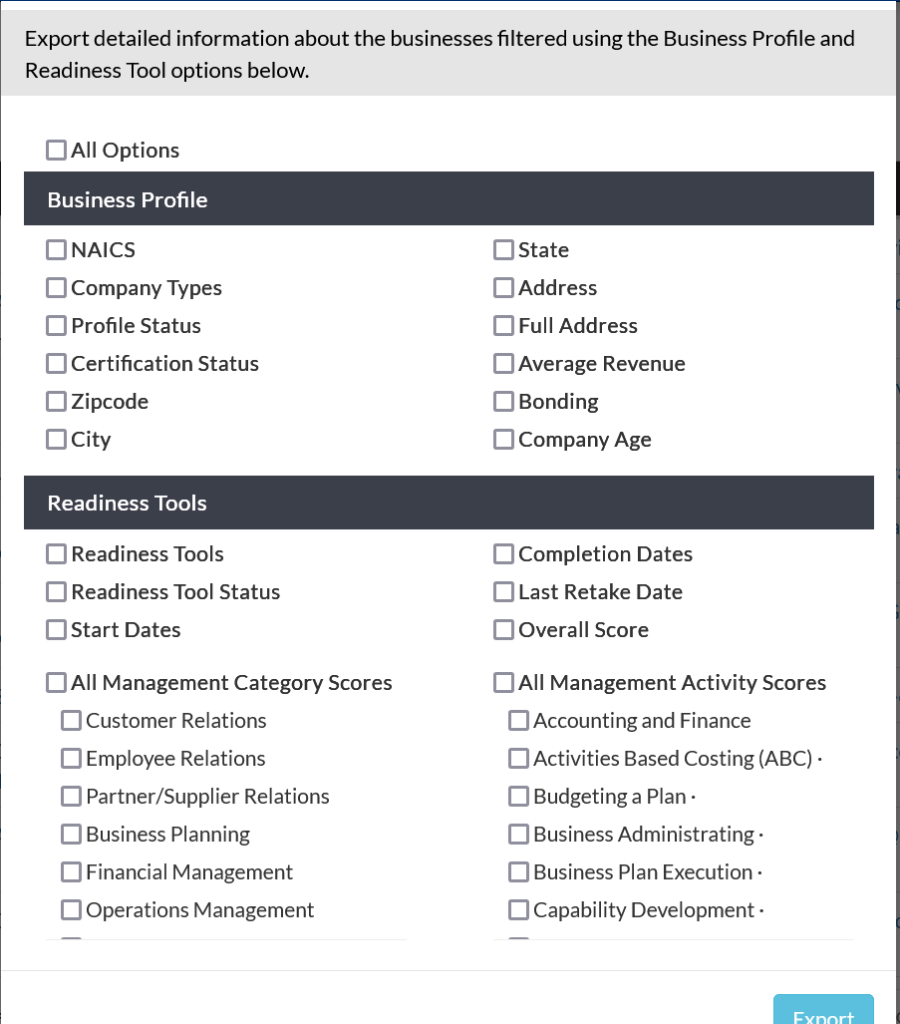
Affiliates may download the directory to a spreadsheet or generate an extended report for more detailed information about the companies in their program. To do so:
- Look for the download option, labeled as ‘Spreadsheet or ‘Extended report’.
- Click on the download option and select the desired format, either a spreadsheet (e.g., Excel, CSV) or an extended report.
- Follow any additional prompts to customize the download settings, such as selecting specific fields or filtering criteria.