Action Items Performance
The Action Items Performance Report gives Affiliates a comprehensive view of each analysts full spread of action items, follow-ups and tasks for all customers. This information can be used to identify priority items, make reassignments and determine customer responsiveness.
Navigation
Affiliates can navigate to the Action Items Performance Report view by taking a few steps. First, Affiliates should click the “Reports” navigation menu item in the navigation bar at the top right of their M3 panel.

Once clicked, the Affiliate will be navigated to the Reports view. Affiliates can then click the “Action Items Performance” item in the Reports menu.
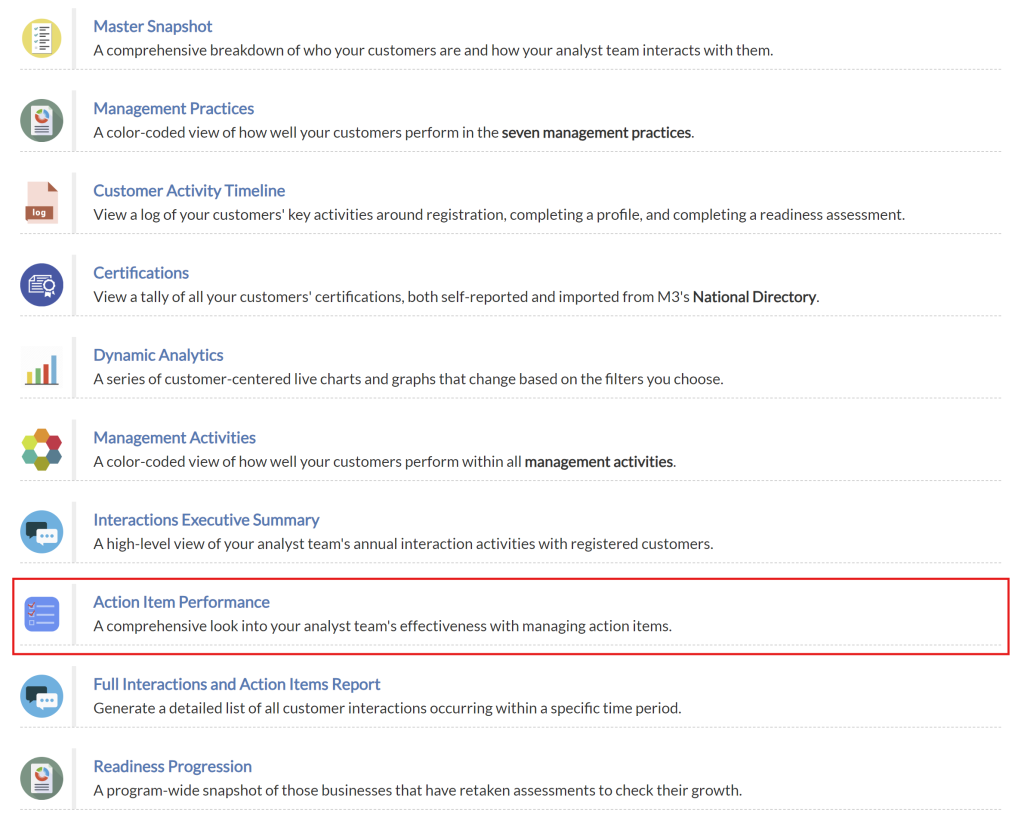
Upon clicking the “Action Items Performance” item in the Reports menu, Affiliates will be navigated to the Action Items Performance Report view.
Action Items Performance Table
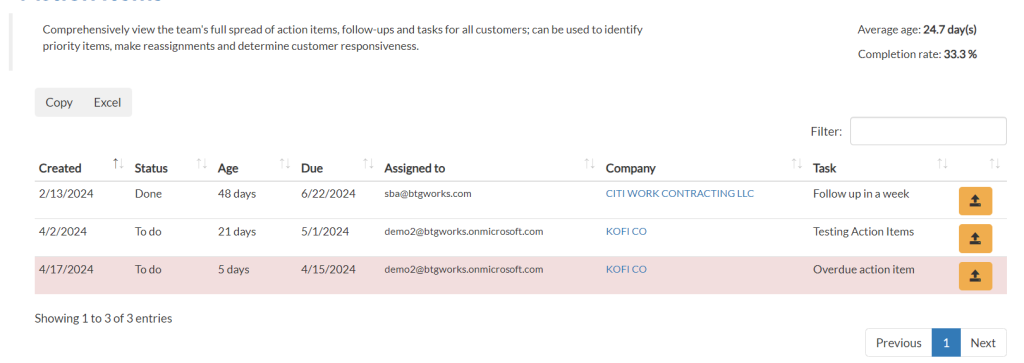
The Action Items table provides a record of all action items assigned to applicants. Records for overdue action items will be highlighted in red. Affiliates will find the following details captured in each record:
- Date created
- Status
- Age
- Due Date
- Assigned to
- Company
- Task
Copy/Export Action Item Performance Table
Affiliates have the ability to download or copy the entire table for printing purposes or to keep for their own records. To do so, Affiliates should click on the “Copy” button to copy the table, or the “Excel” button to export the table to an Excel worksheet.

View Action Item Record
Open Action Item
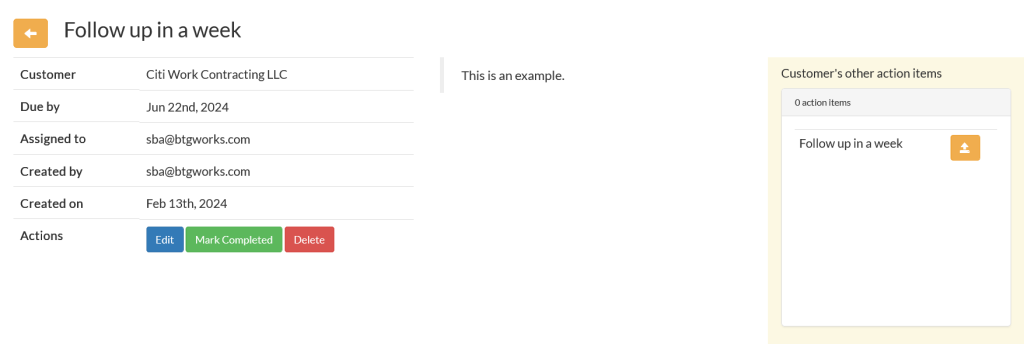
When affiliates click the yellow ‘Open’ button, it will expand the action item, allowing users to view complete details, as well as take actions that will modify the details or status of the action item.

Modify Action Item
When affiliates open a full detailed view of the action item, they will see all the information that was provided to them in the Action Item Performance table, as well as a list of other action items associated with the relevant customer.
Additionally, affiliates will have the ability to modify the action item. An Affiliate may do the following to an action item:
- Edit
- Mark Completed
- Delete