Master Snapshot Report
The Master Snapshot Report provides a comprehensive breakdown of who your customers are and how your analyst team interacts with them. A comprehensive and consolidated analysis of key metrics across account activity, business readiness, business types, management tool needs, certifications, and interactions.
Navigation
Affiliates can navigate to the Master Snapshot Report view by taking a few steps. First, Affiliates should click the “Reports” navigation menu item in the navigation bar at the top right of their M3 panel.

Once clicked, the Affiliate will be navigated to the Reports view. Affiliates can then click the “Master Snapshot” item in the Reports menu.
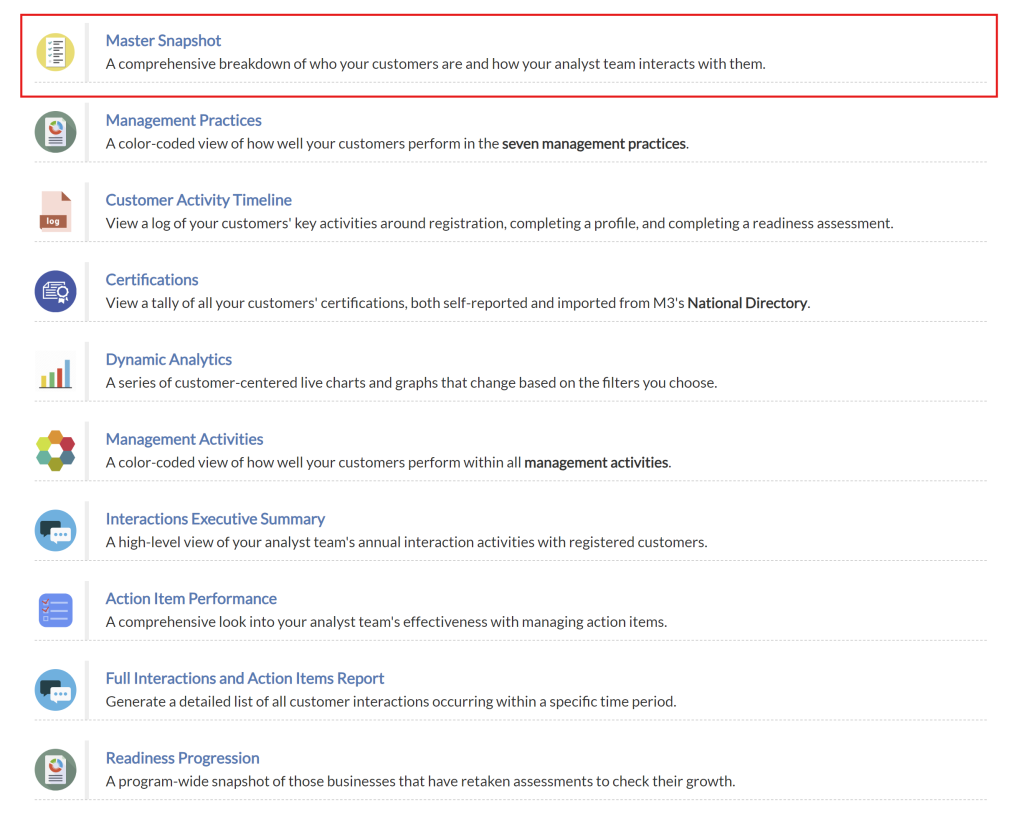
Upon clicking the “Master Snapshot” item in the Reports menu, Affiliates will be navigated to the Master Snapshot Report view.
Account Activity Section
The Account Activity section provides affiliates with a breakdown of customers who have actively completed profiles, readiness tools, and interactions. This feature allows users to track customer activity and engagement, as well as monitor progress within the system.

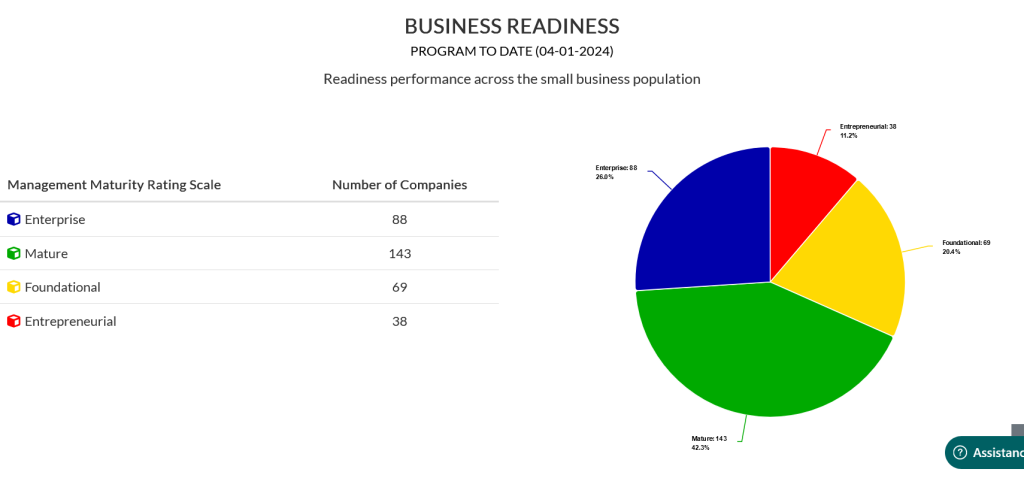
Business Readiness Section
The Business Readiness section provides affiliates with insights into the levels of readiness exhibited by companies in their program, measured against a maturity scale. This feature assists affiliates in assessing the preparedness and maturity levels of the companies they work with.
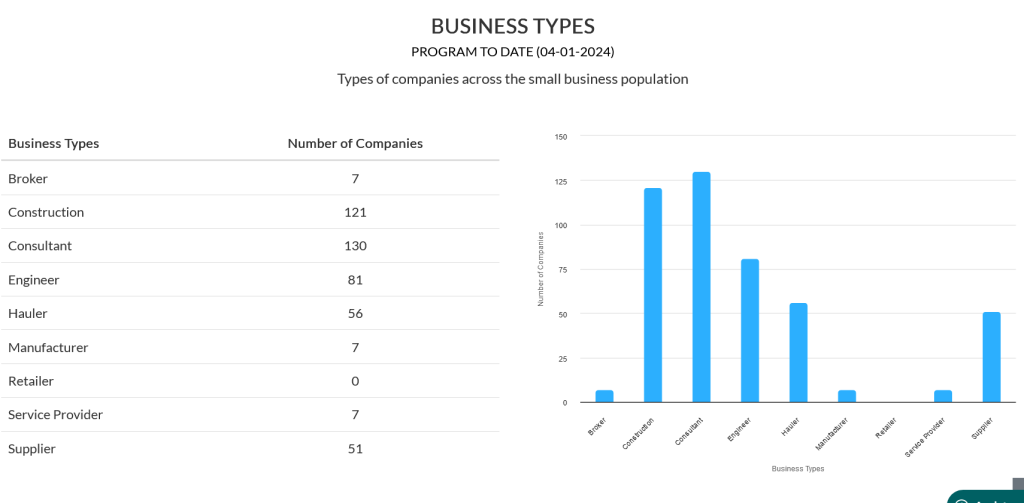
Business Types Section
The Business Types section provides affiliates with information about the various types of companies within the small business population. It includes a table and a chart, each representing the distribution of companies across different types of business.
Management Tool Needs Section
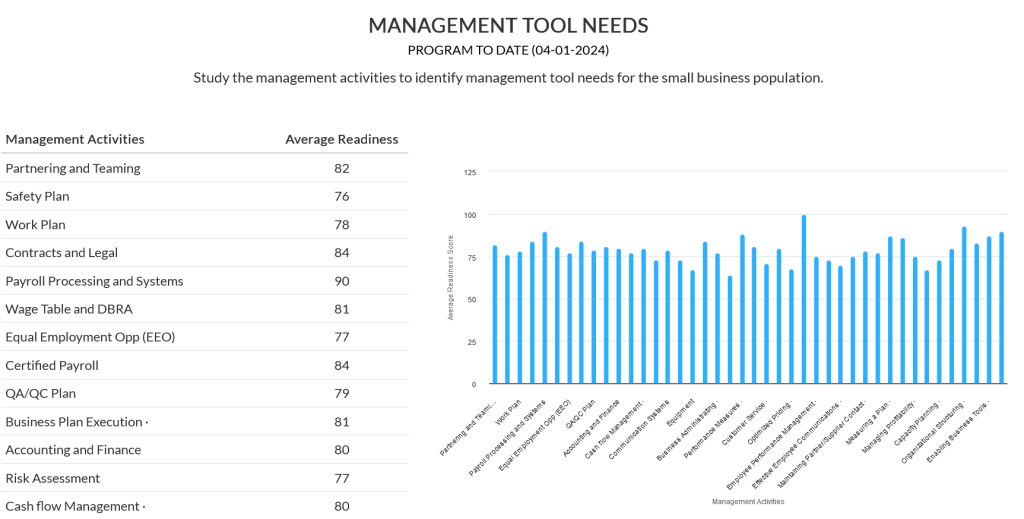
The Management Tool Needs section visualizes the average readiness of small businesses within each individual management activity. Affiliates can use this information to identify which management activities their small businesses could use the most assistance with.
Certifications Section
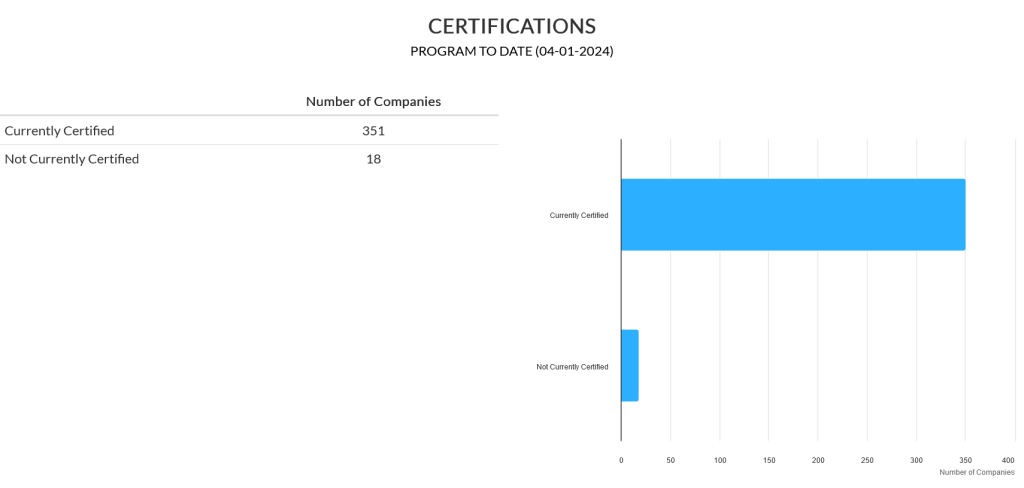
The Certifications section provides an overview of companies that are certified, as well as those that are not certified.
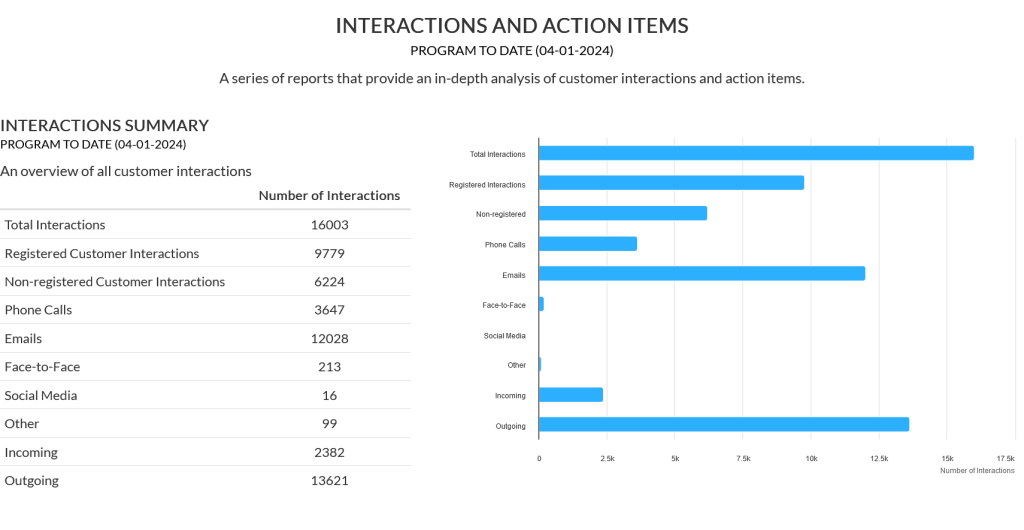
Interactions and Action Items Section
The Interactions and Action Items section informs affiliates about how companies are being engaged within their program. There are multiple charts and tables made available, each summarizing a different perspective regarding how interactions are taking place, as well as with who across the program.