Affiliate Dashboard
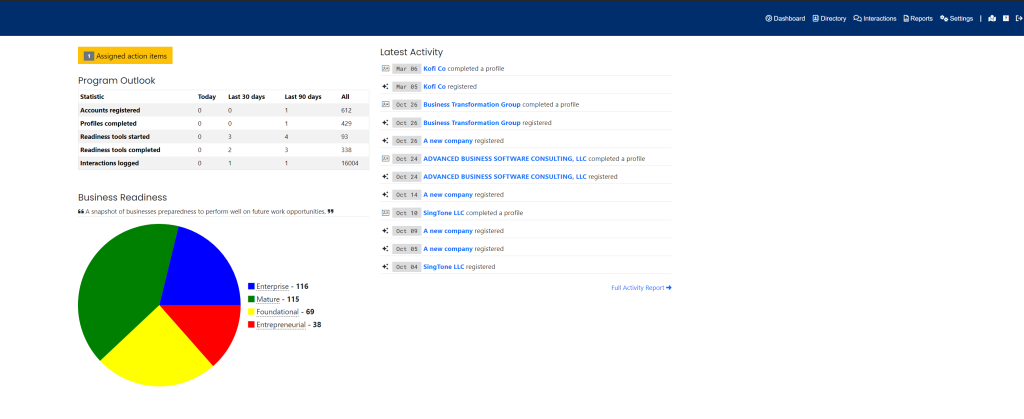
On the dashboard, affiliates are able to view:
- Assigned or overdue action items
- Program outlook
- Business readiness chart
- List of the latest activity
Navigation
When logging in to M3, Affiliates are automatically navigated to the Dashboard view. If Affiliates ever leave the Dashboard view, they can navigate back to it by clicking the “Dashboard” navigation menu item in the navigation bar at the top right of their M3 panel.

Once clicked, the Affiliate will be navigated to the Dashboard view.
Assigned/Overdue Action Items
When an affiliate has action items that are assigned to them or overdue, a clickable notification will be displayed. When this notification is clicked, it will navigate the affiliate to a page where they can view a table of their action items

Program Outlook
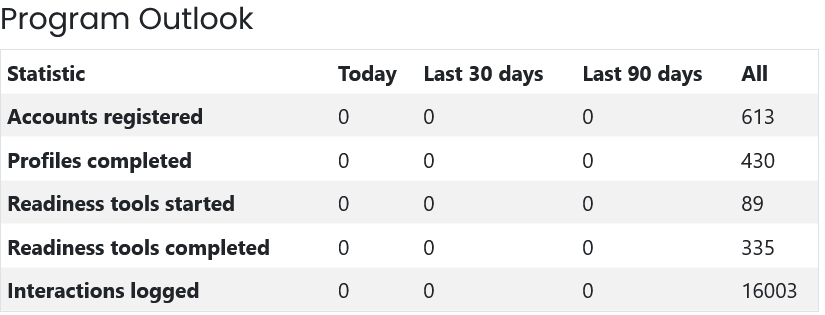
Here, affiliates can view detailed business statistics and analytics over a certain time frame.
Business Readiness
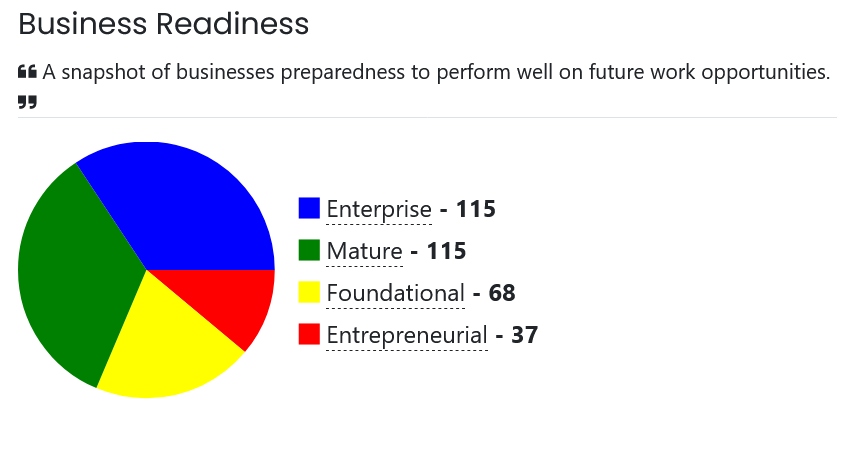
The business readiness chart visualizes what percentage of businesses are categorized under each maturity level. Maturity levels indicate business readiness. There are 4 maturity levels under which a business may be categorized within M3:
- Enterprise
- Mature
- Foundational
- Entreprenurial
Latest Activity Timeline
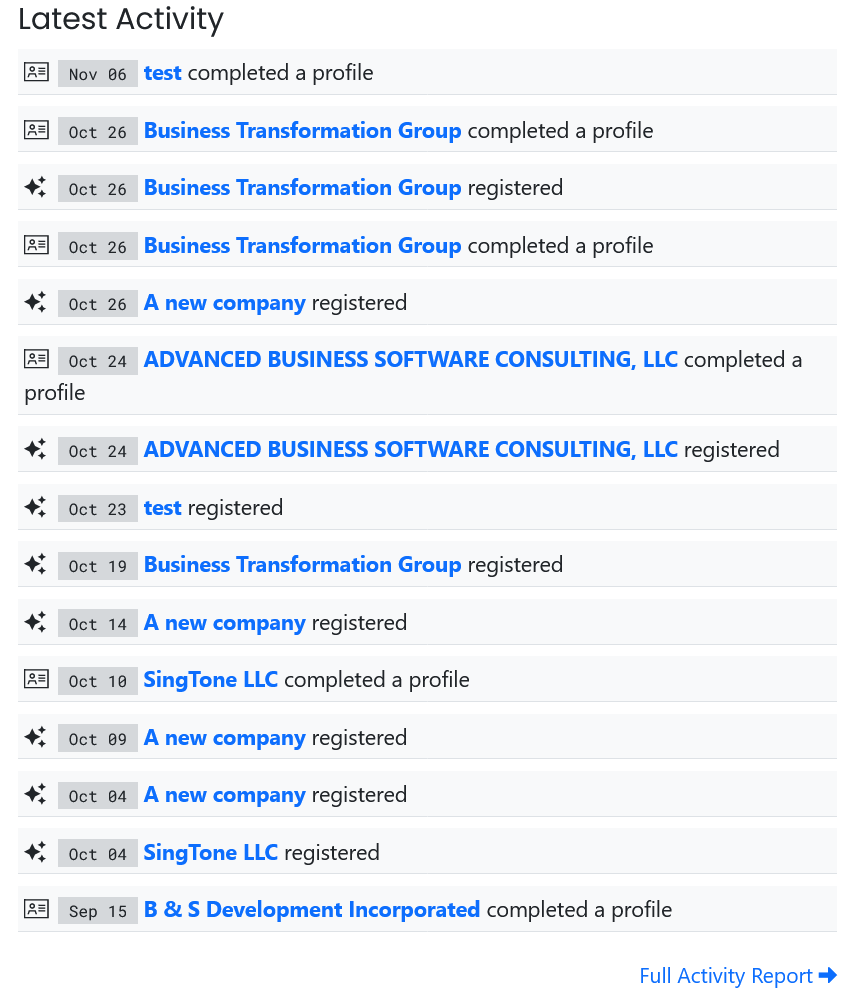
The latest activity timeline in the user manual displays the most recent actions performed by business owners. This timeline provides affiliates with a quick view of recent business activities, allowing them to stay updated on key developments.
Proudly powered by WordPress